FarmGazer
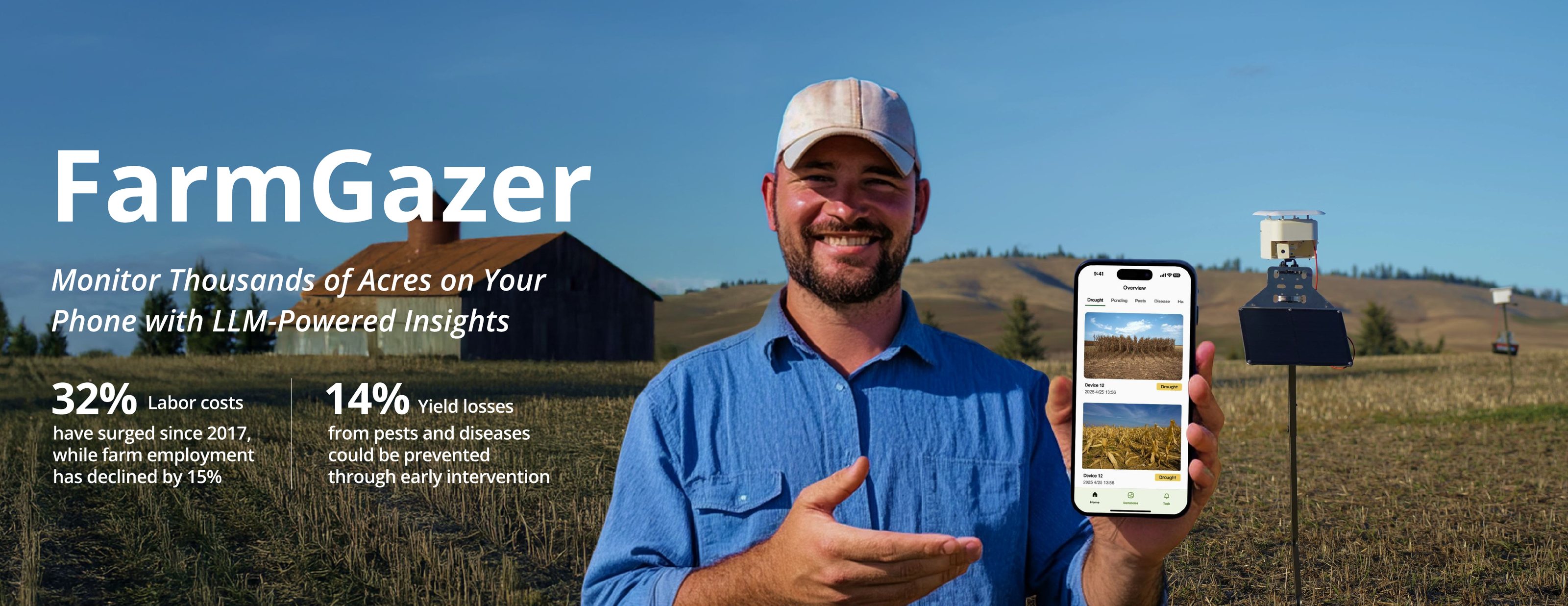
A mobile app and solar-powered camera system that lets large-farm owners spot crop problems from their phone, instead of walking thousands of acres to find them.
Overview
What is FarmGazer
Large U.S. farms often span 1,000+ acres, and checking crops still means one or two people walking the fields for about a week. FarmGazer 1.0 had already put cameras in the field, but the photos sat unsorted in a desktop backend. FarmGazer 2.0 aimed to turn those photos into answers: what is wrong, where, and what to do next, on the farmer's phone.
FarmGazer is a distributed system: many small camera units spread across a farm, an estimated 50 to 60 for 1,000 acres. We built and deployed two working units for the owner of Nelson Farms, a 7,500+ acre wheat farm, as the first nodes of that network. Through 4 field interviews, 4 expert interviews, and 5 usability sessions, I defined the flows behind a card-based home screen where testers found a flagged issue in 4 seconds instead of 11, and the rules that keep farmers in charge of the AI: every tag can be questioned and corrected.
Team & Role
I was the team's only designer, and I treated the interaction as one experience across hardware and software: what the camera can see decides what the app can show. I turned field research into the information architecture, user flows, and concept sketches, and the team built the app directly from them while I moved on to designing the enclosure. I then planned and ran the usability tests and turned the findings into the changes the team shipped.
Timeline
Research & Insight
Why it matters
of U.S. farms are 1,000+ acres, yet they control 73% of all farmland. Walking it is no longer practical.
rise in farm labor costs since 2017, while farm employment fell 15%. There are fewer people to do the walking.
of yield losses from pests and disease could be prevented through earlier intervention.
Sources: USDA 2022 Census of Agriculture · AgWeb · Agrivi
Who we designed for
We interviewed both. The family farmers we met at the Bellevue market walk their own fields every day. Owners of 1,000+ acres can't. They carry the labor shortage and lose the most when a problem is found late. We chose them and left small farms out of scope, even though small farms far outnumber them.
How we learned
FarmGazer 1.0 on site
Watched the first-generation cameras run in real field conditions to see where they failed.
Large and small farms
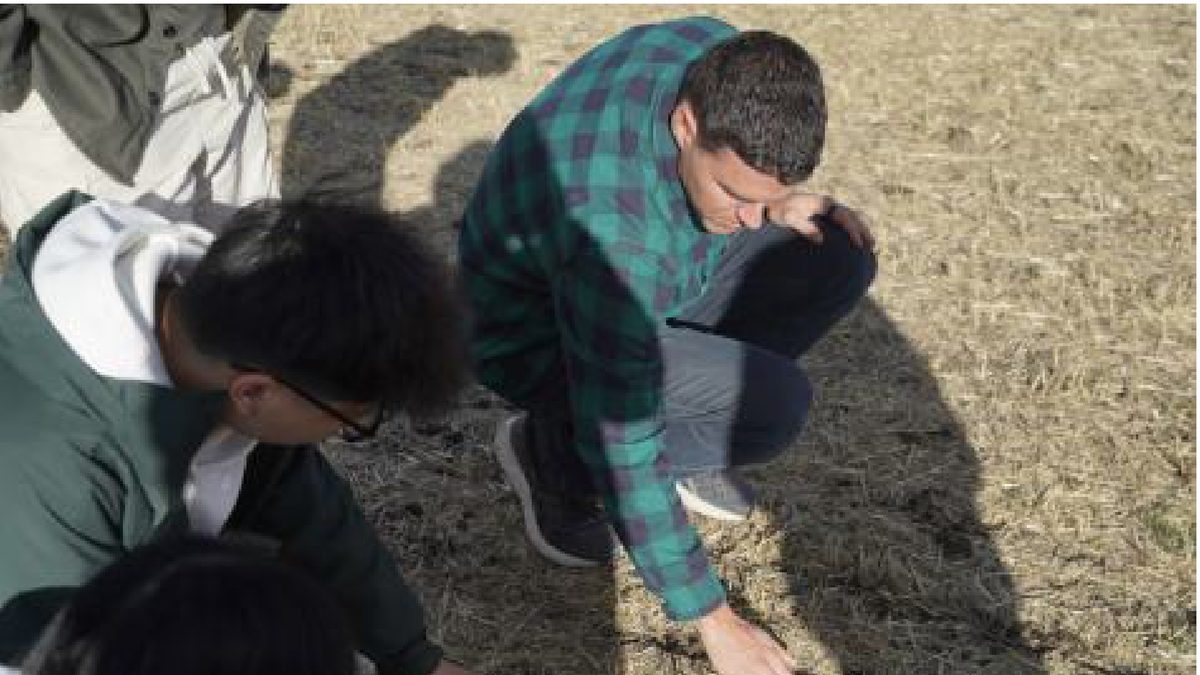
Two with Nelson Farms operators and owner, two with family farmers at the Bellevue farmers market.
One each, mine on hardware
Each of us interviewed one expert. I chose a mechanical engineer who builds camera hardware, because a design only matters if it can be built.
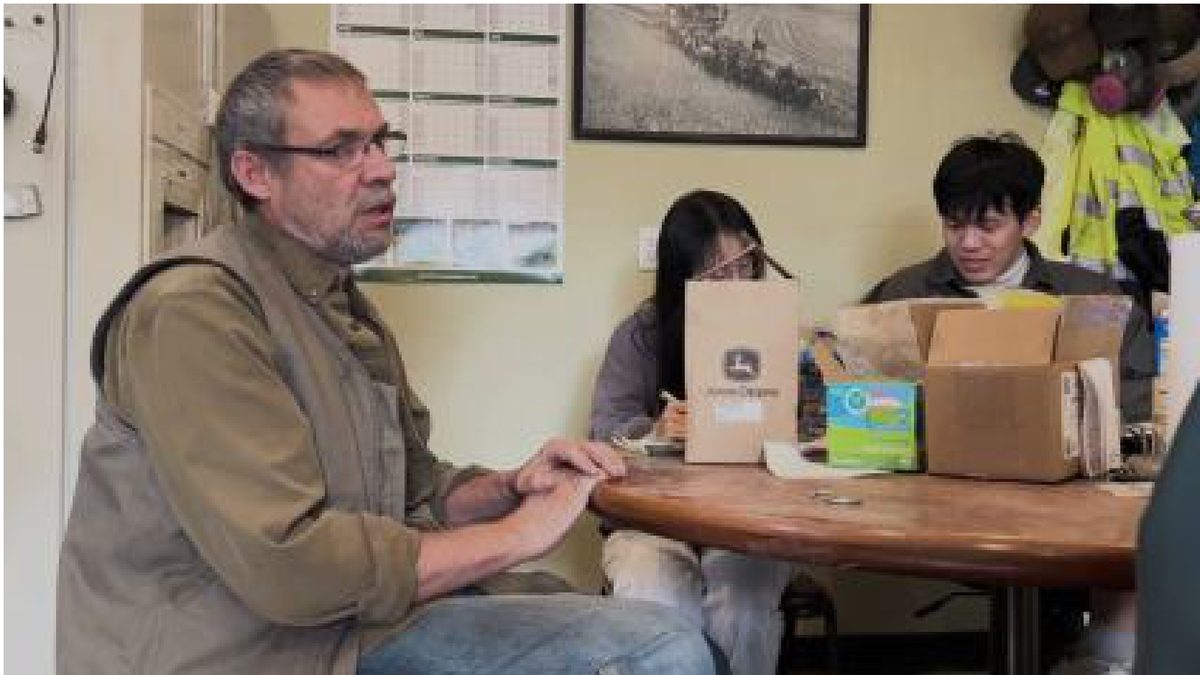
Interviewee: a Seattle mechanical engineer at an optics and photonics firm, working across camera hardware, firmware, and robotics. One hour, remote, recorded with consent.
- Which camera types are used for agricultural monitoring today, and could a multispectral camera work for us?
- How would you build a low-cost waterproof enclosure? Would O-ring seals or epoxy cable penetrators hold up?
- Our camera sits behind a glass cover and picks up reflections. Should it move outside the cover, and how do we keep it waterproof?
- What enclosure shape and material suit a camera that pans and tilts?
- Can the enclosure itself cut glare while the camera moves, alongside software fixes?
What we heard
Priorities change with the season
Growing season is about pests, weeds, and disease. Off-season shifts to drainage and planning.
One field at a time
Farmers clear every issue in an area before moving on to the next.
Time on the farm is fragmented
Owners spend the day on tractors and sudden tasks. They are rarely at a desk.
Problem Framing
Today's monitoring journey
Walk the fields
1 to 2 people, about a week per full pass
Cameras capture
FarmGazer 1.0, one fixed angle behind glass
Open the backend
On a computer, back at the office
Scan every photo
All devices, all days, no categories
Judge the risk
From experience and the weather
Act
Call or text the crew
Core pain points
Too slow to spot issues
Photos arrive unsorted, so finding one problem means scanning every image from every device, at a desk.
Data without meaning
Farmers read the weather, not sensor values. Temperature and humidity numbers alone don't say whether drought is coming.
Hardware not field-ready
Glare, reflections off the glass cover, humidity, and a fixed view limit what the camera can actually see.
Reframe
Single-issue detection
One computer-vision model per problem. Each new threat needs new training data, and the farmer still pieces the picture together.
Whole-field monitoring
A multimodal LLM reads the photo and the microclimate together, checks an agricultural knowledge base, and explains what it sees in plain language.
How might we help large-farm owners catch crop problems early across thousands of acres, without walking every field or blindly trusting AI?
Design Process
From sketch to screen
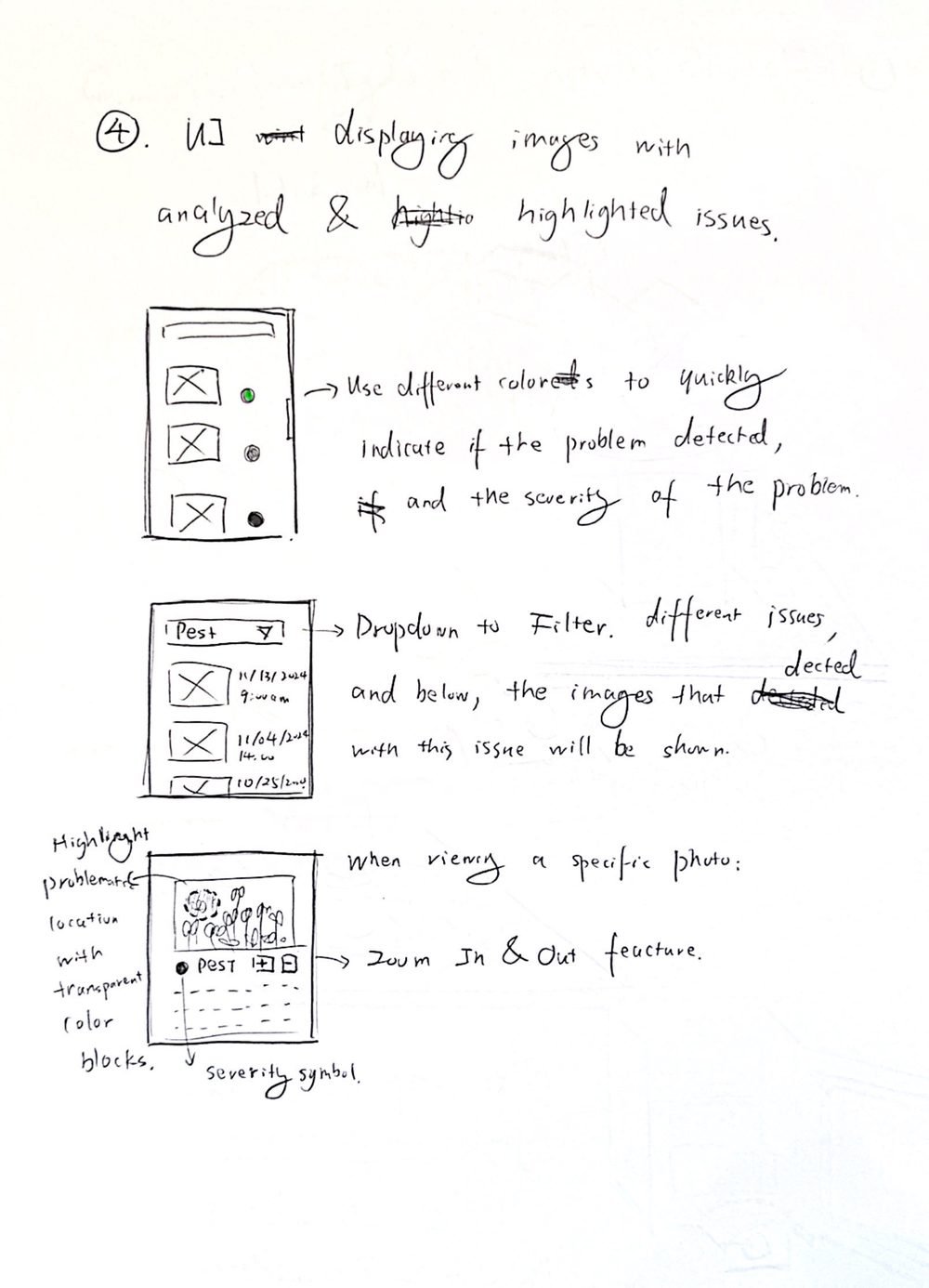
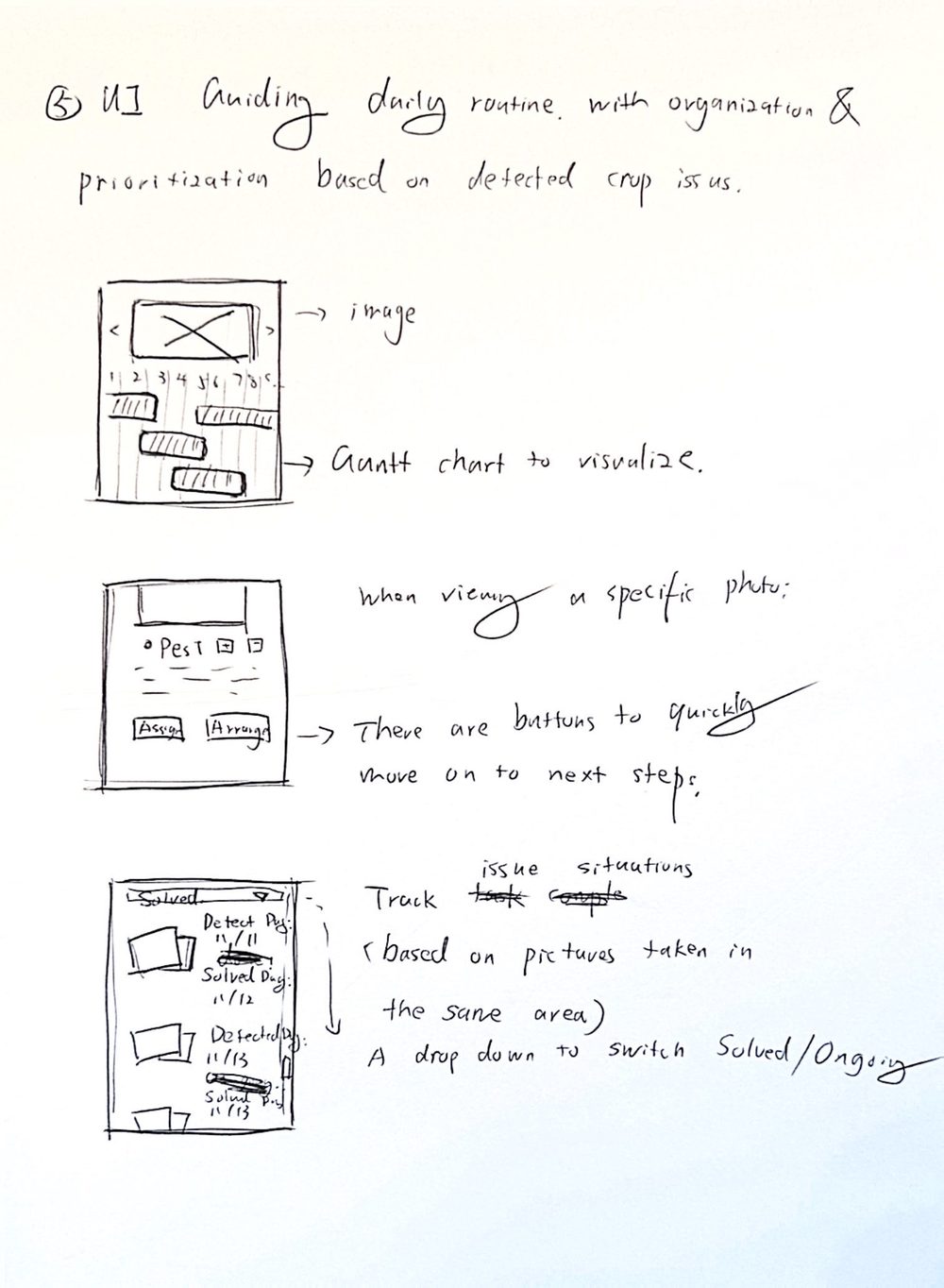
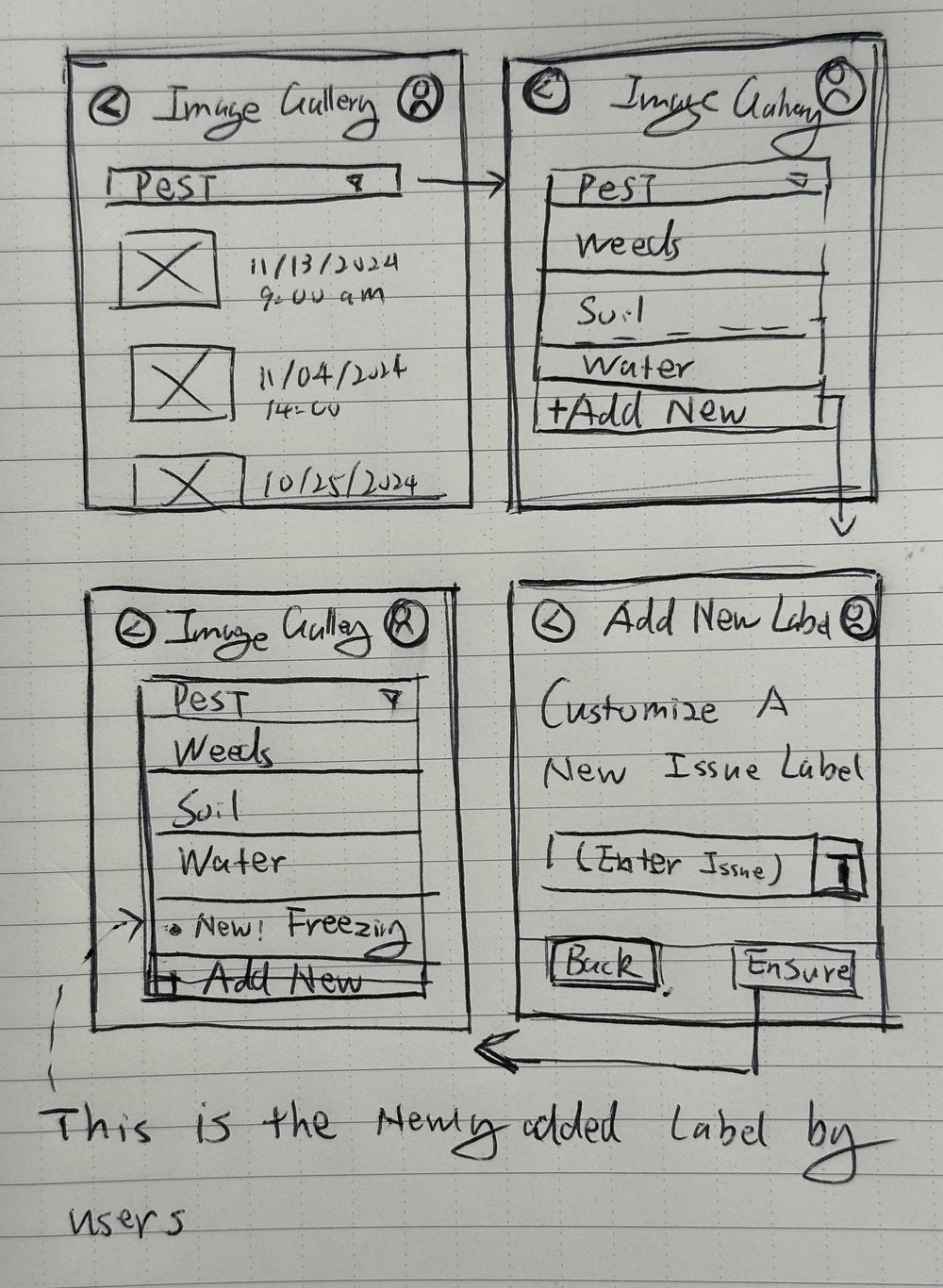
I assumed farmers would want the app to plan their day (sketch 2). Testers said task reminders felt like overhead and asked for red and yellow flags instead, so the day plan became two-level priority flags. The issue filter (sketch 1) became tabs, and custom labels (sketch 3) stayed editable within a fixed set.
Test plan
Before testing, I turned each design assumption into a question we could measure. The scenario: James owns 1,500 acres, and before heading out at dawn he opens the app to see what the cameras caught overnight.
| Test question | What we found | |
|---|---|---|
| 01 | Which home view, cards or map, lets farmers find and locate a crop issue fastest? | Cards won. 4s against 11s on the map, so cards became the default. |
| 02 | Do temperature and humidity readings help farmers act on crop health? | Rarely used. Farmers judge by the weather and don't know which readings signal trouble, so raw numbers need interpreting. |
| 03 | Are AI tags actionable, and does showing the reasoning build trust? | Yes, if short and editable. Long paragraphs frustrated testers, and a missed issue rated worst of all AI mistakes. |
| 04 | Do past photos of the same spot lead to better decisions? | Yes. Owners use past photos to catch early signs the AI missed. Led to the History tab. |
| 05 | Can farmers combine filters to surface priority issues? | Cut after the pilot. It took time without telling us much, so the session went to AI trust instead. |
From my evaluation plan · Jan 2025 · 45-minute moderated sessions on an interactive prototype
Key decision · Card view or map view
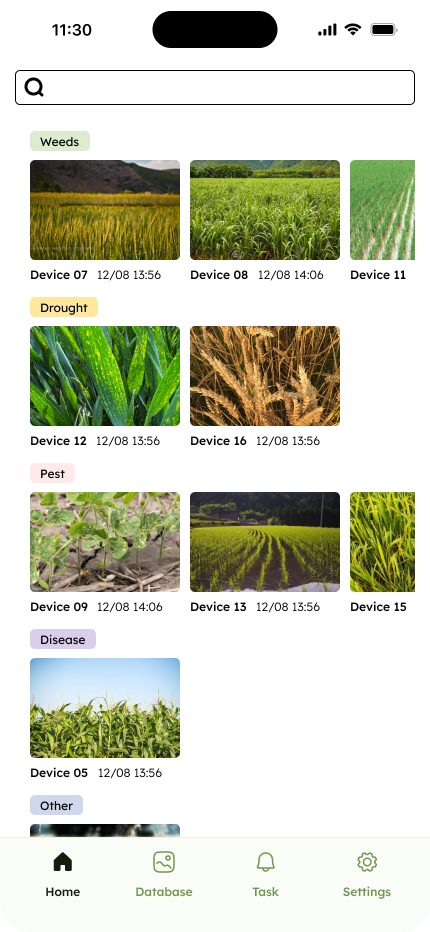
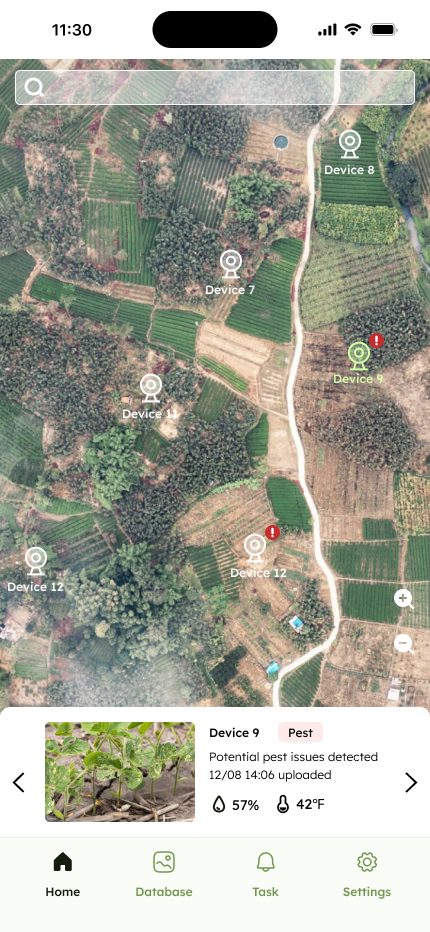
Both home screens were built from my flows. I designed the test: find a flagged issue, as fast as you can.
The first three testers chose cards: bigger photos, no satellite clutter. The two agronomy experts we added later preferred the map for spatial context. Both needs were real.
What testers changed
| Finding | Change shipped | |
|---|---|---|
| 01 | Long AI paragraphs are hard to read on a phone, and frustrating when they turn out wrong. | Analysis split into short, collapsible parts: problem category, summary, interpretation. |
| 02 | There was no way to say a field is fine, so healthy fields looked unchecked. | Added a Healthy tag, so every field has a status. |
| 03 | Farmers see value in AI, but won't let it have the final word. | Every AI tag is a suggestion the farmer can edit at any time. |
| 04 | Owners coordinate by texting their crew. | A Share button on every photo. |
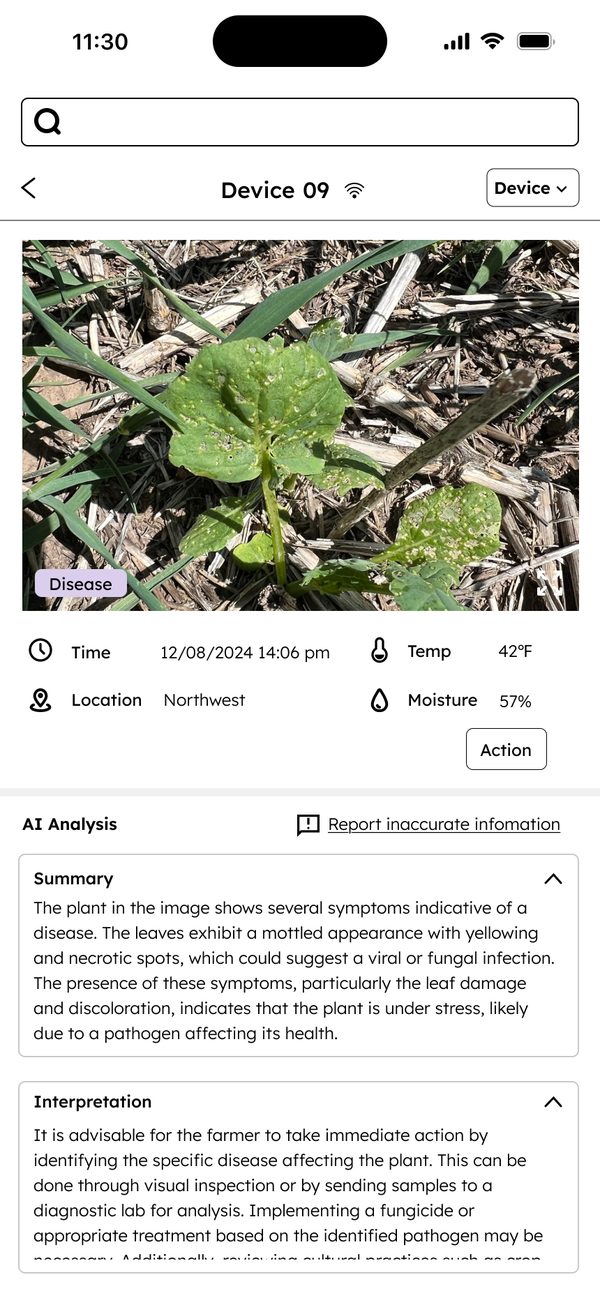
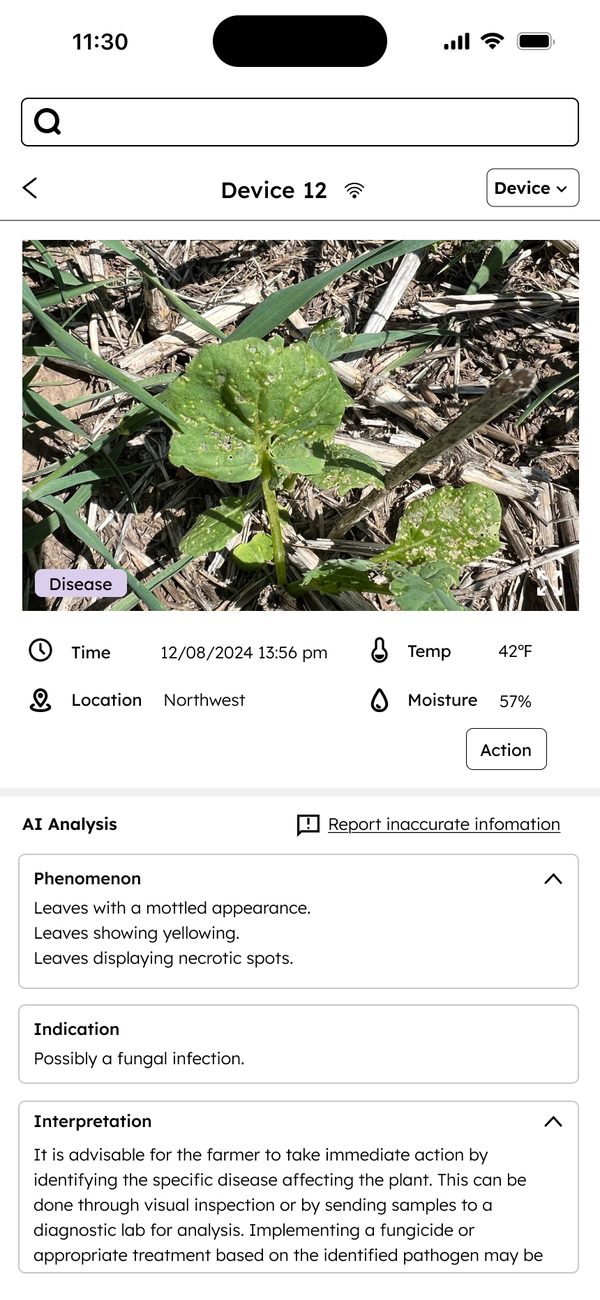
Test prototype screens
Solution
We make it faster
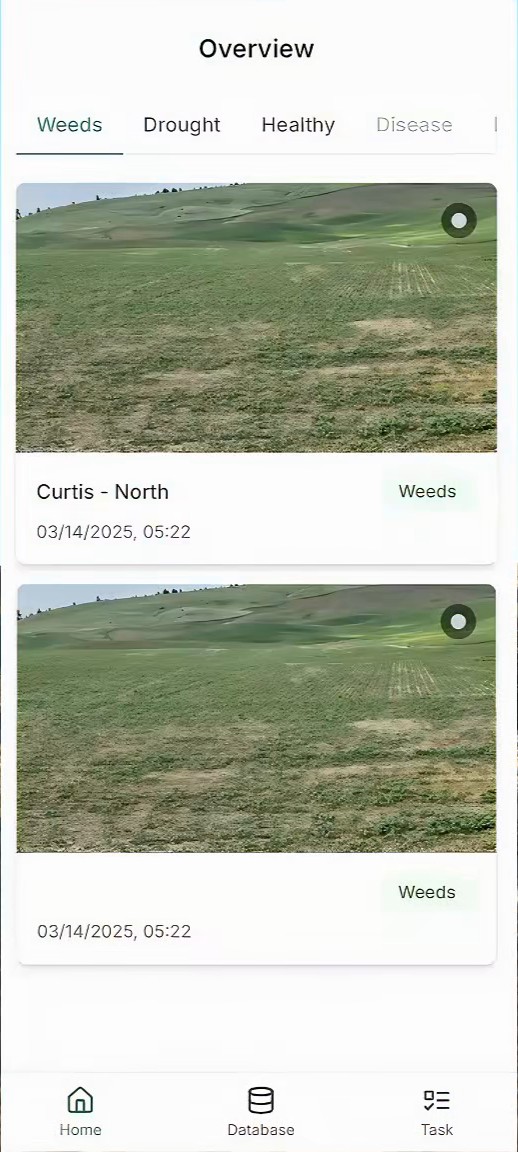
Triage the whole farm at a glance
- AI tags every photo by problem type, so the home screen is already sorted.
- Tabs by issue match how priorities shift with the season.
- Each card names the field and time, so farmers know where to drive.
Answers pain point 01 · issue found in 4s
Screens: shipped app, built from my flows
We make it clear
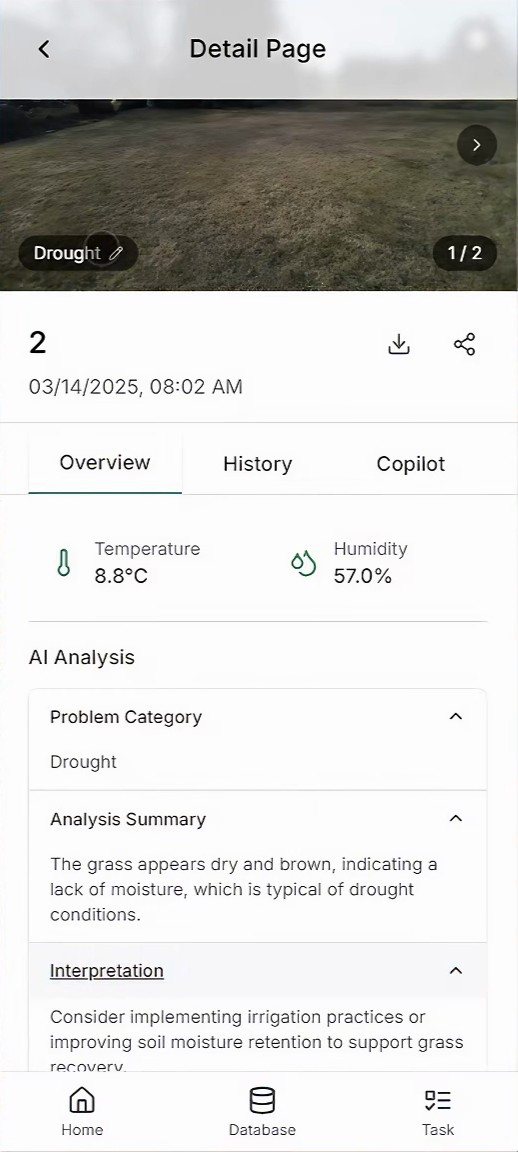
AI that explains itself, and can be corrected
- Microclimate beside the photo: temperature and humidity give the image context.
- Analysis in three parts: problem category, summary, interpretation. Open only what you need.
- Editable tags: the pencil on every tag keeps the farmer in charge.
- Copilot: ask about your own farm's history in plain language.
Answers pain point 02
Screens: shipped app, built from my flows
We make it field-ready
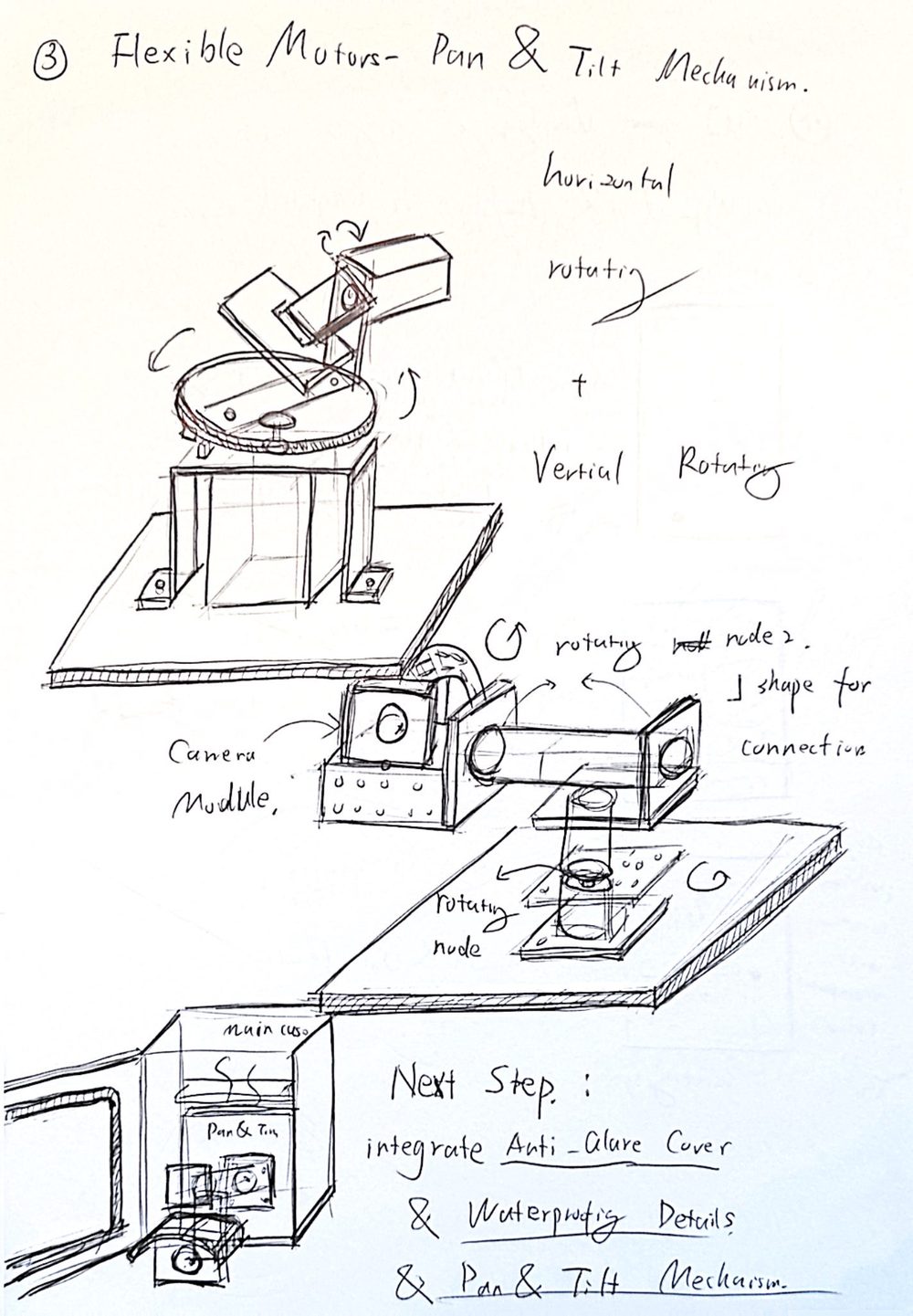
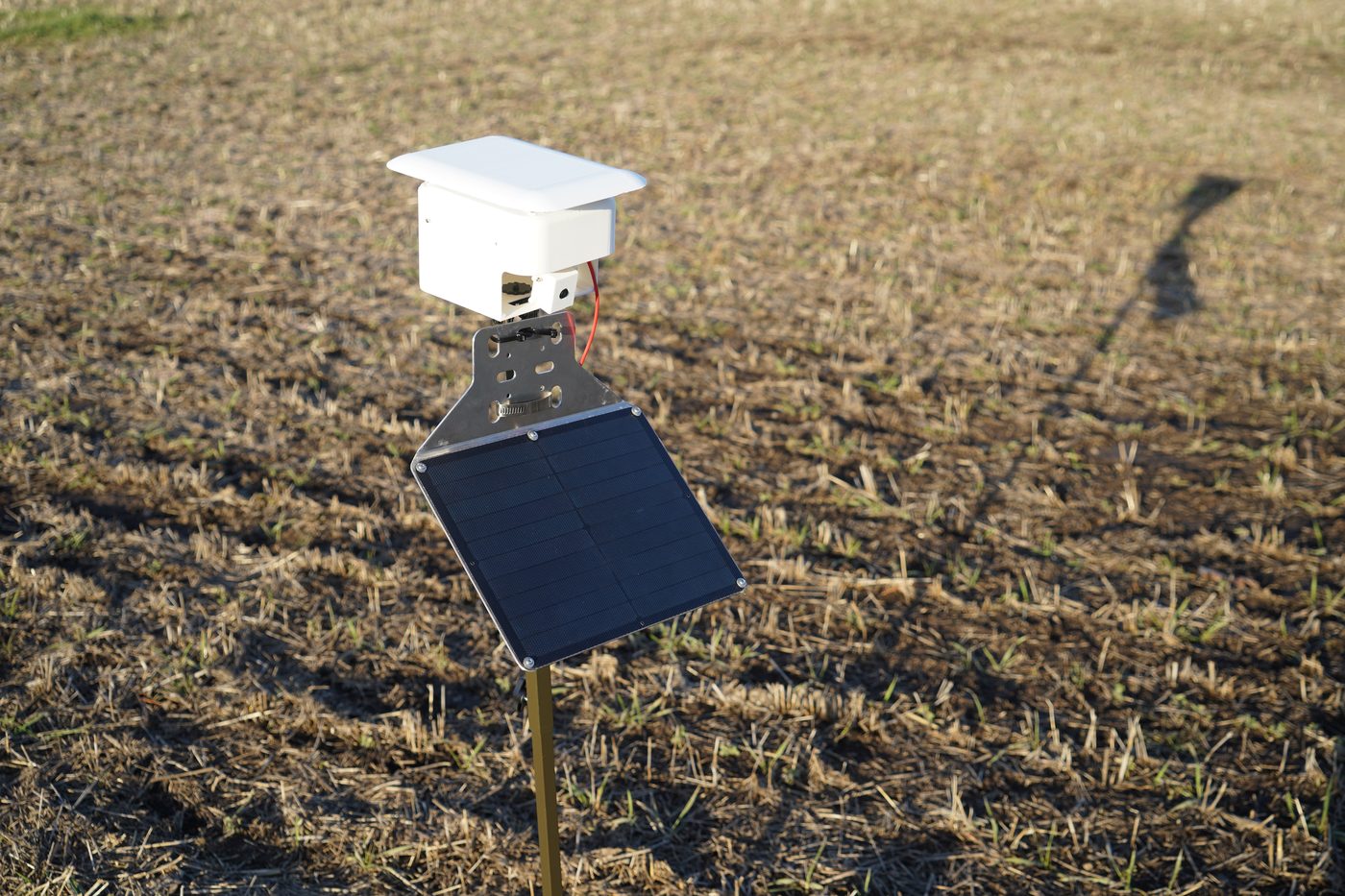
From enclosure sketches to a unit standing in the wheat
I picked a hardware expert on purpose. On this project the interaction runs through the device as much as the screen: if the camera fogs up or catches glare, no interface can fix the photo. The interview changed my direction. I had been researching software fixes for glare; he pointed to the security-camera answer instead.
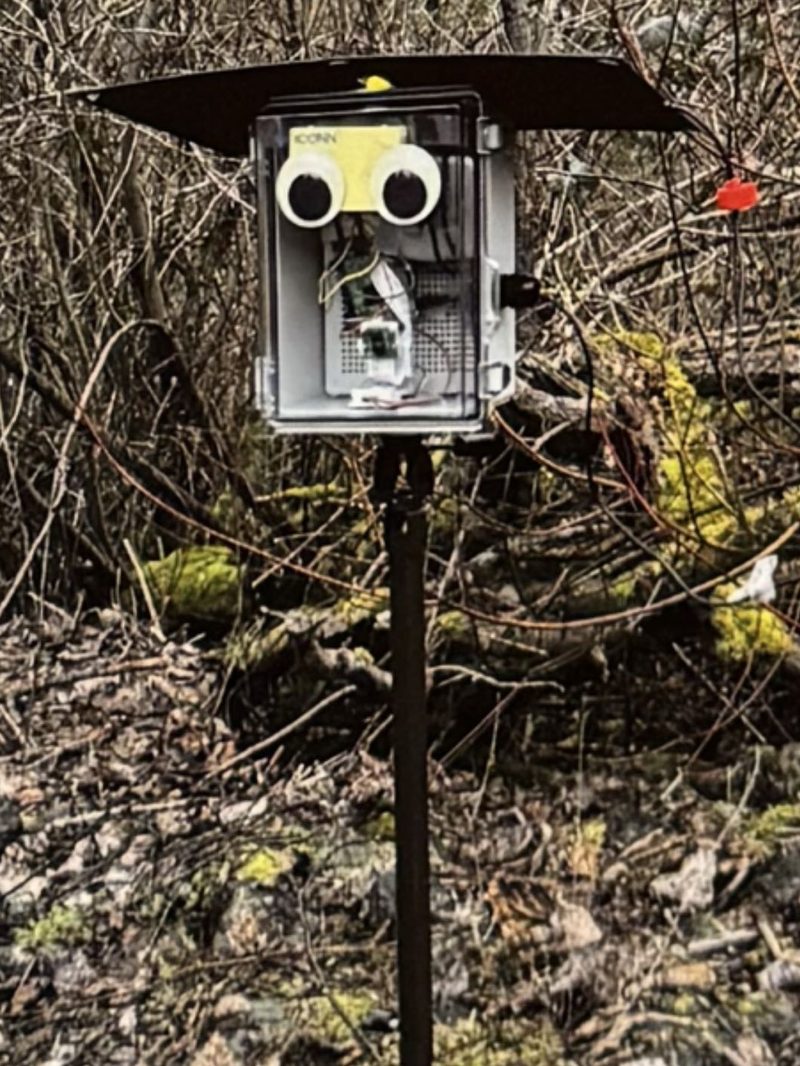
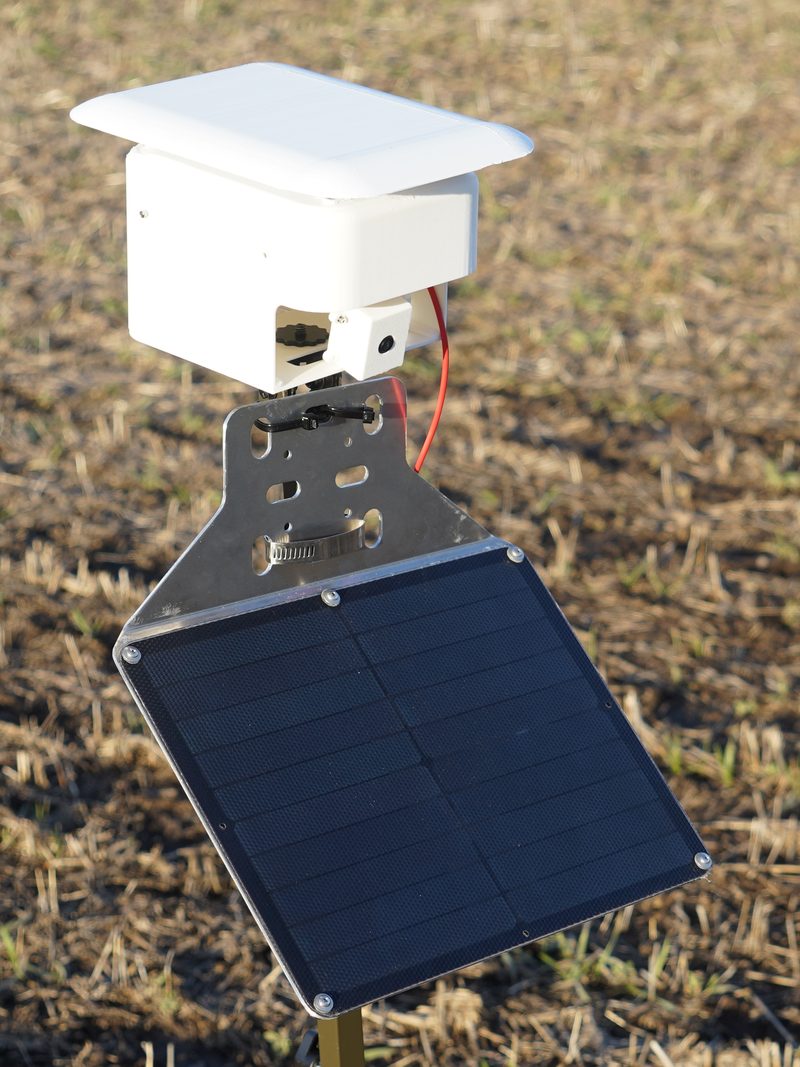
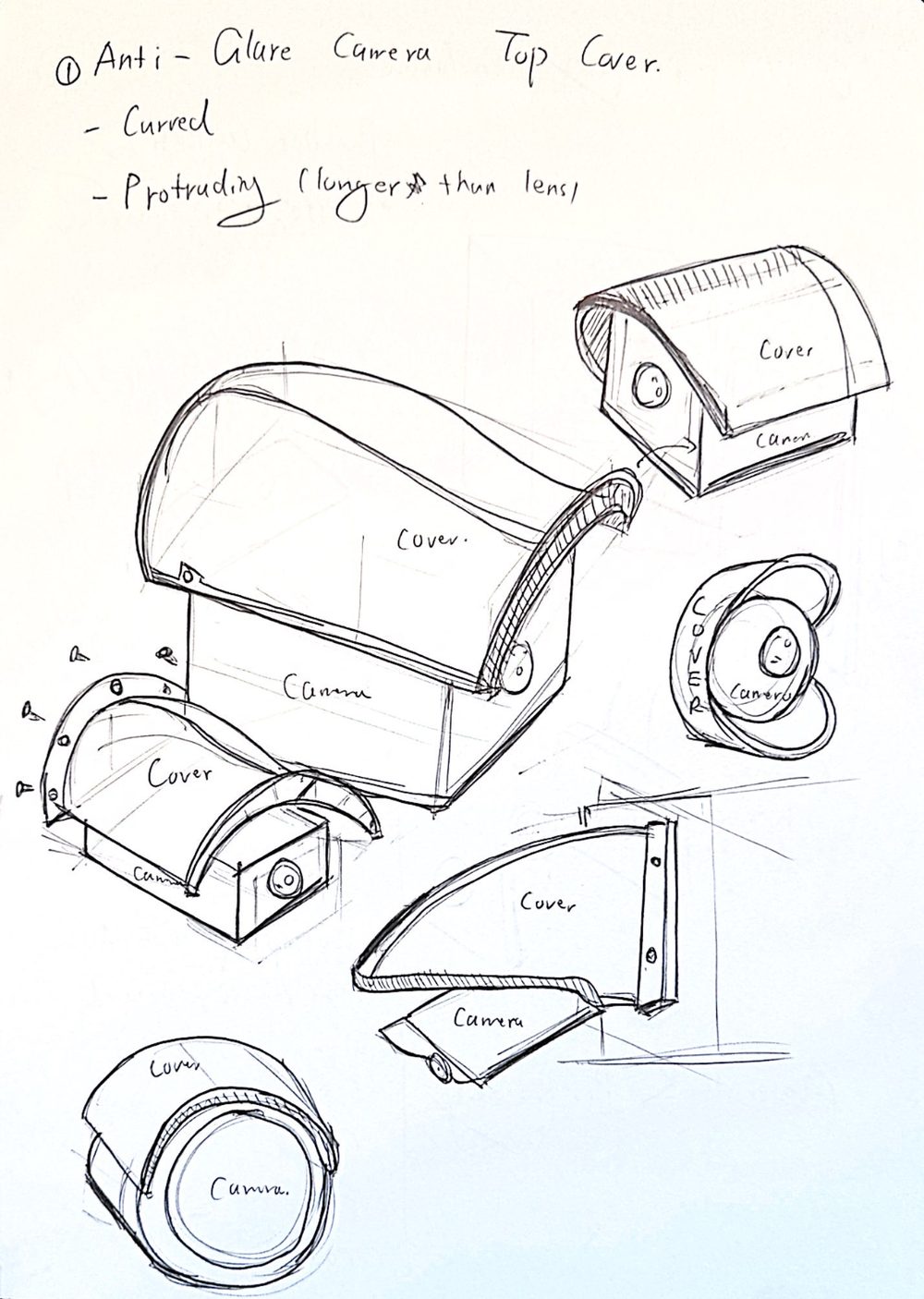
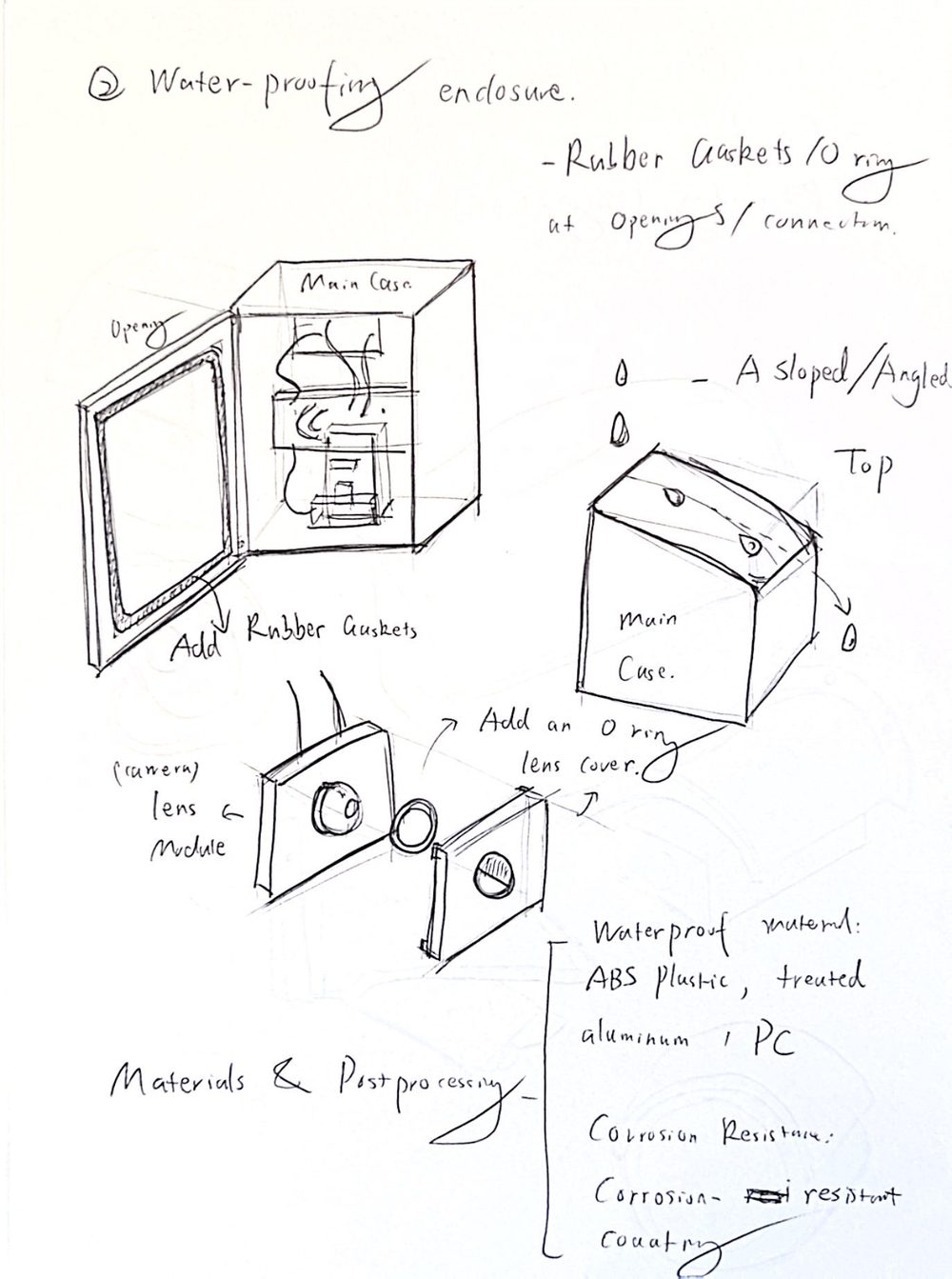
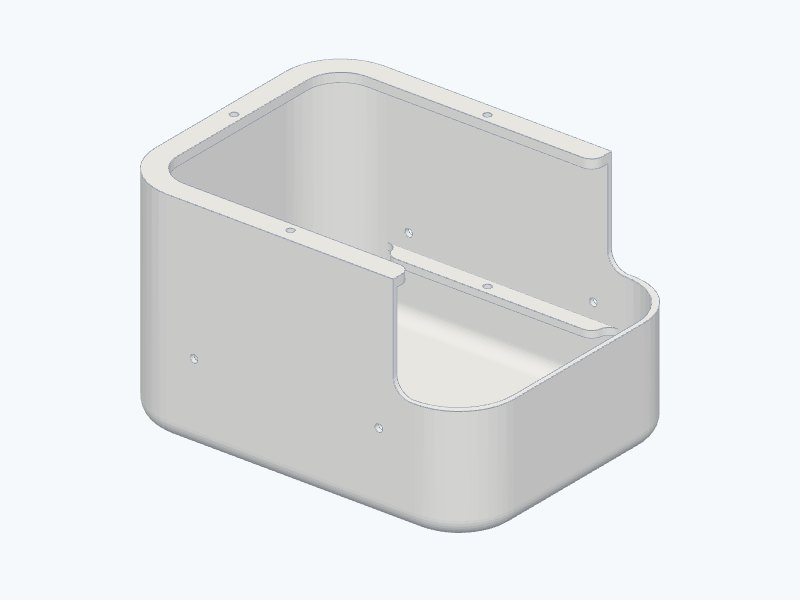
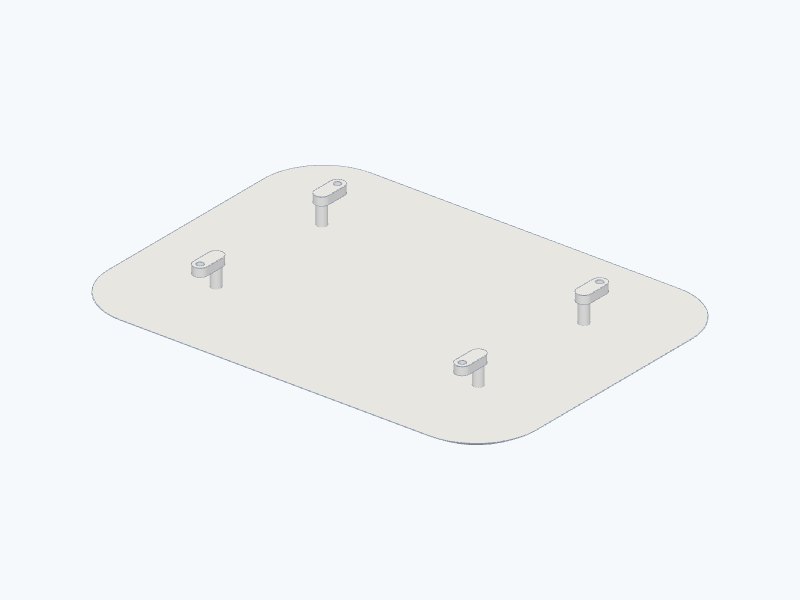
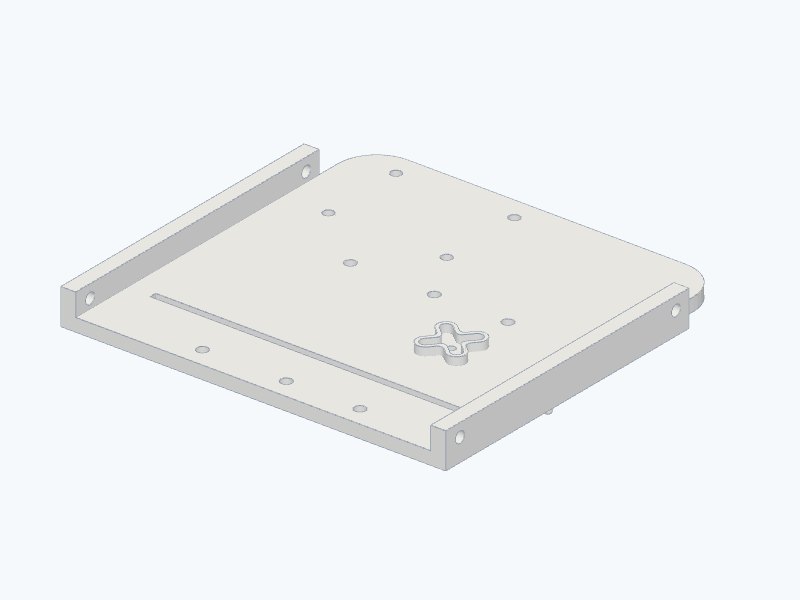
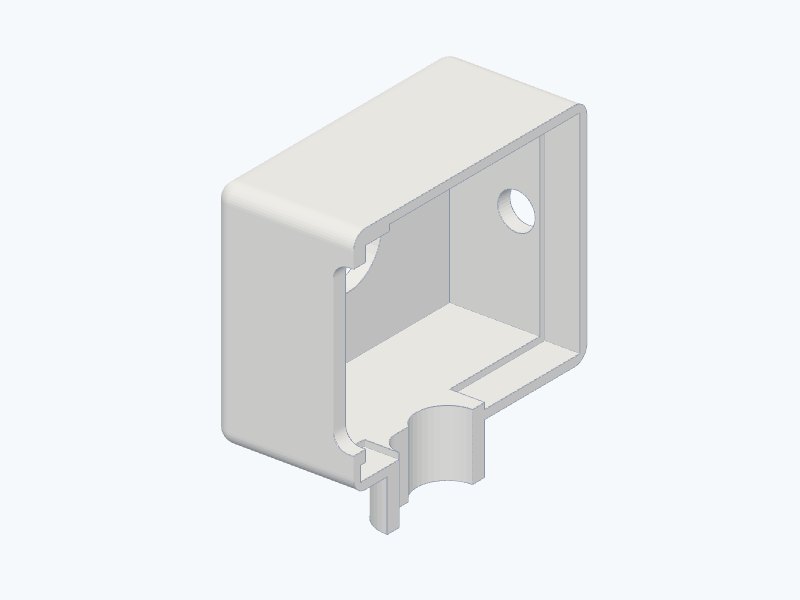
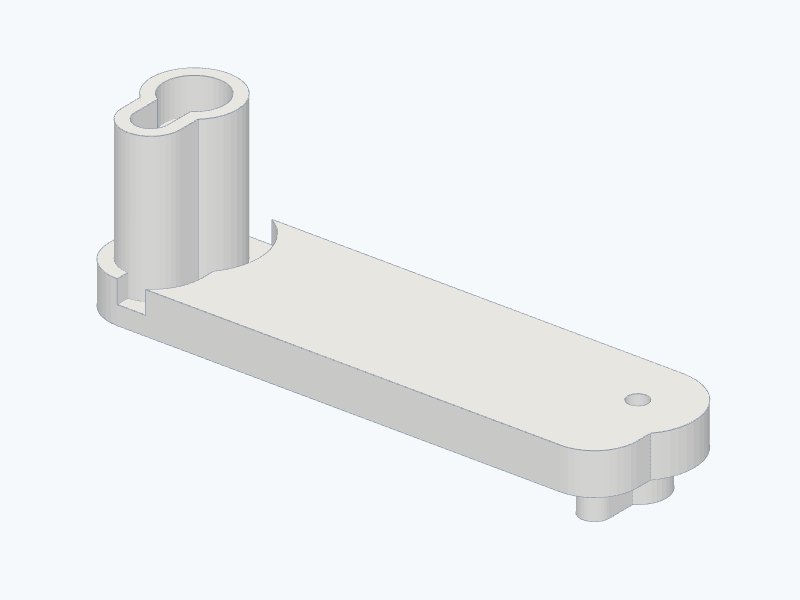
Final CAD, modeled by me · 5 of 10 printed parts
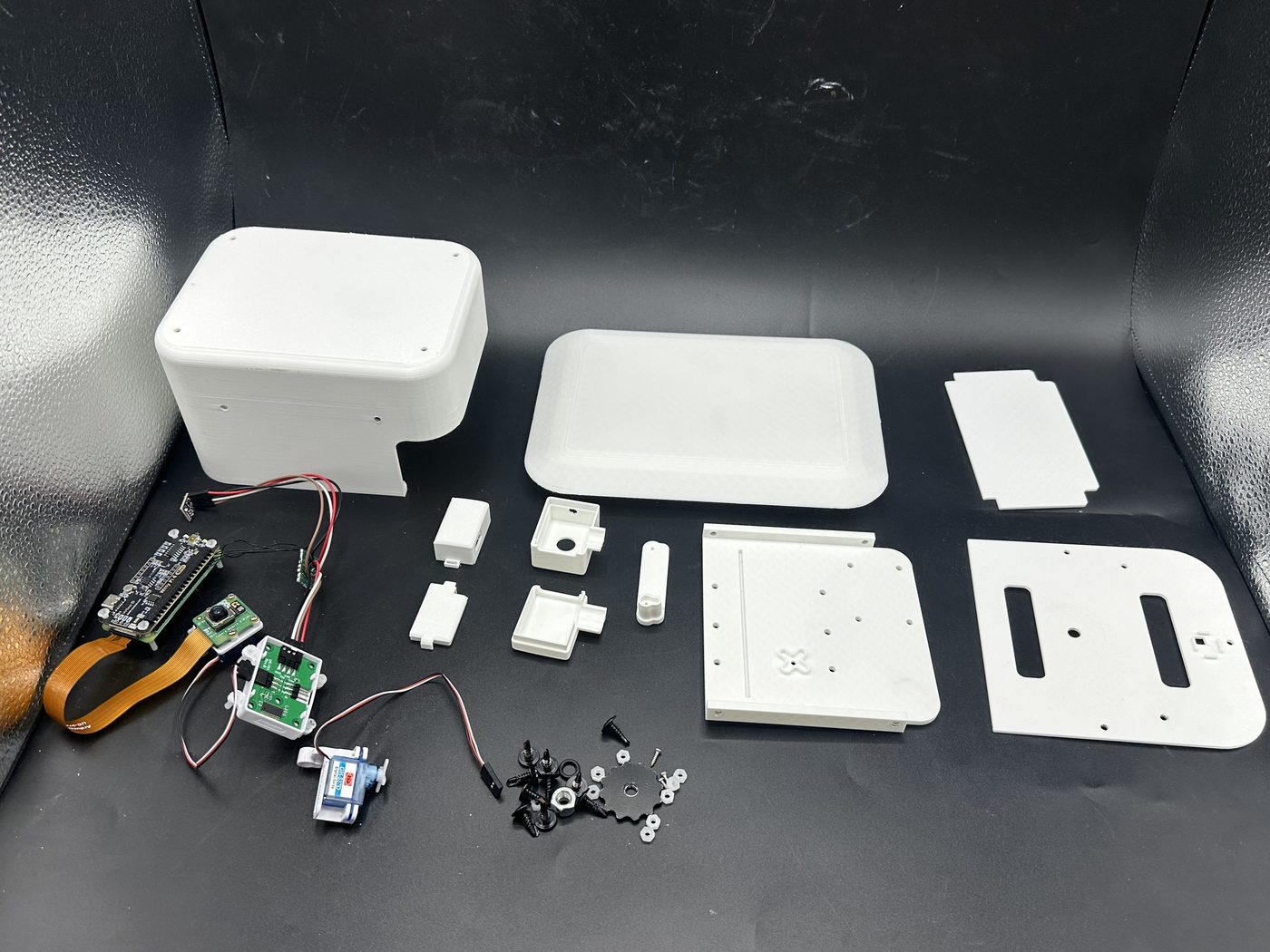
Built to be rebuilt
A distributed system only works if units are cheap to make and quick to put together. Every enclosure part is 3D printed, and the whole unit goes together in 15 steps with self-tapping screws. A step-by-step assembly guide and the open CAD files let the sponsor build more units.
Each unit captures 3 times a day from 4 angles, runs on solar power with no manual charging, and logs temperature and humidity with every photo.
Answers pain point 03
Result
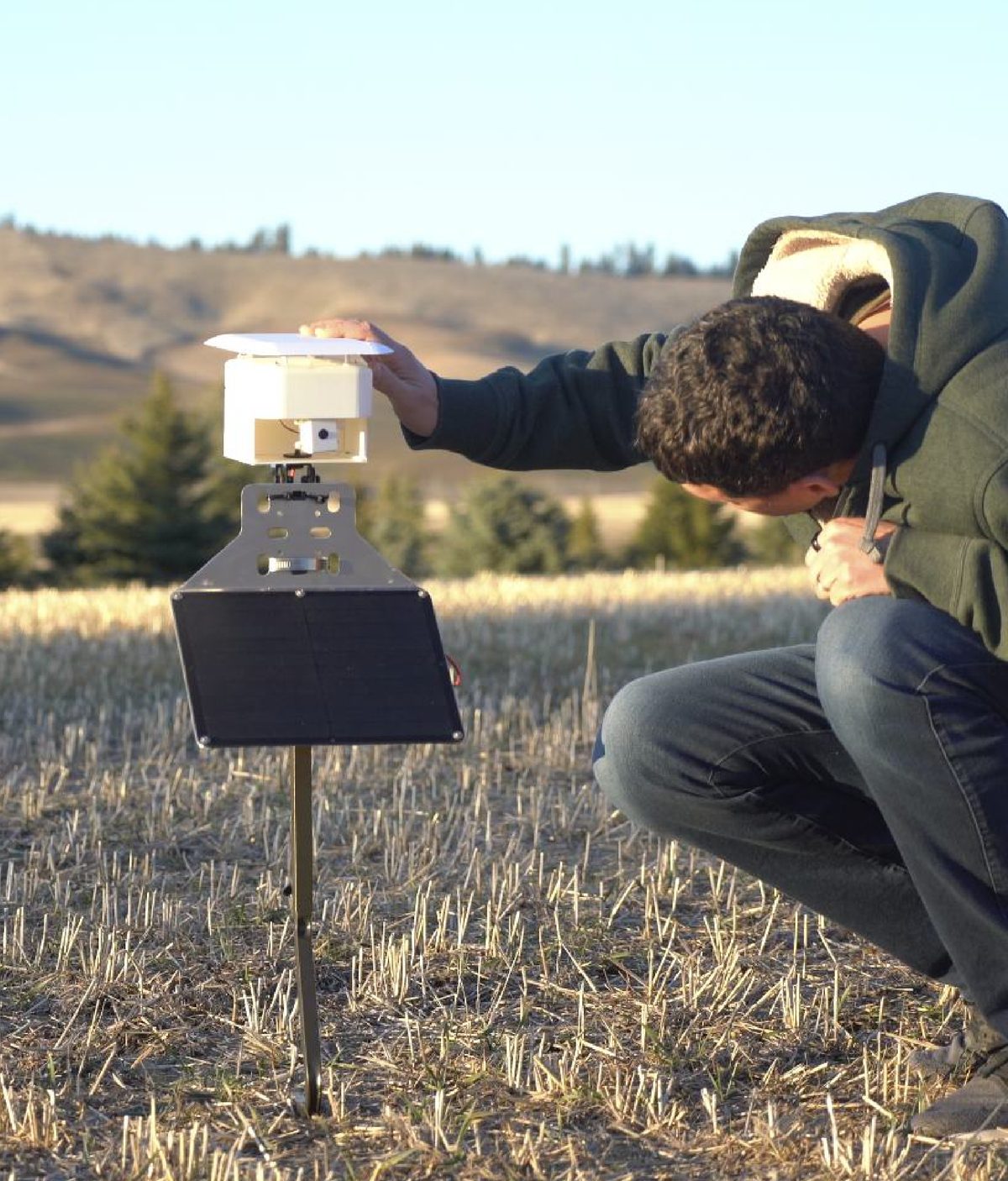
Deployed on Nelson Farms (7,500+ acres), the first nodes of a distributed network
To find a flagged issue with the card home screen, in usability tests
What I'd measure next
The 4s against 11s comes from usability tests, not the field. The two deployed units have no usage numbers I can report, so instead of inventing one: I'd measure how long an owner takes to clear the day's flagged photos, against a week of walking the fields, and watch for missed issues, a confident "healthy" on a field that turns out sick.
Next stage
Industrial-grade waterproofing and soil moisture sensors; multi-user access so owners can share flagged issues with their crew, with confidence levels on every AI tag; and testing across farms with different crops.
Learning
What I'd do differently
Bring expert users into testing from the first session. The first three testers chose cards; the two agronomy experts we added later wanted the map for spatial context. That need only surfaced at the end of testing, so the map became an add-on on top of cards. With both groups in the first round, I could have designed the home screen around both needs instead of adding one late.
The relationship and trust between users and AI
How do we define the user-AI relationship while keeping it trustworthy and reliable?
Users feel uncomfortable when AI gives lengthy but incorrect analyses.
Some users feel they give away their data for free to train commercial AI models.
Users can edit AI-generated tags at any time.
AI analysis should stay concise.
AI should support users, not make decisions for them.
Be clear about how farm data is used, and test whether it can stay within edge AI models.
A miss costs more than a false alarm
We asked testers to rate how much each kind of AI mistake would hurt them.
Negative impact, 1 to 5
Costs a few seconds
AI says "pests", the crop is fine. The farmer opens the photo and moves on.
Costs a crop
AI says "healthy", pests are spreading. Nobody opens a photo marked healthy.
So a confident "healthy" is the riskiest thing the app can say. That is why history sits one tap away for checking past days, why every tag stays editable, and why showing AI confidence is the next step.
Wanling's Role
Product Designer · Digital & physical
Research · UX flows · Usability testing · Enclosure design & CAD · Device code
Team (GIX Team 16)
Wanling Yu · Haoran Zeng
Joel Zhu · Zia Sun
Sponsored by
Microsoft Research
Nelson Farms
Year
2024 to 2025